Escrow
Protected Tebex delivery for production servers. Best for quick installation and secure releases.
Choose EscrowPREMIUM
REDM
SCRIPTS
Optimized resources for VORP and RSG servers, shipped with documentation, updates, and Discord support.

Premium resources priced clearly for every RedM server
Built for VORP and RSG servers with clean setup
Production-ready scripts with polished roleplay systems
Open a Discord ticket and get fast product support
Select the version that fits your server. If a matching version exists in the catalogue, the button will take you directly to it.
Protected Tebex delivery for production servers. Best for quick installation and secure releases.
Choose EscrowFull source access for deeper customization, edits, and custom integrations on your RedM server.
Choose Open Source
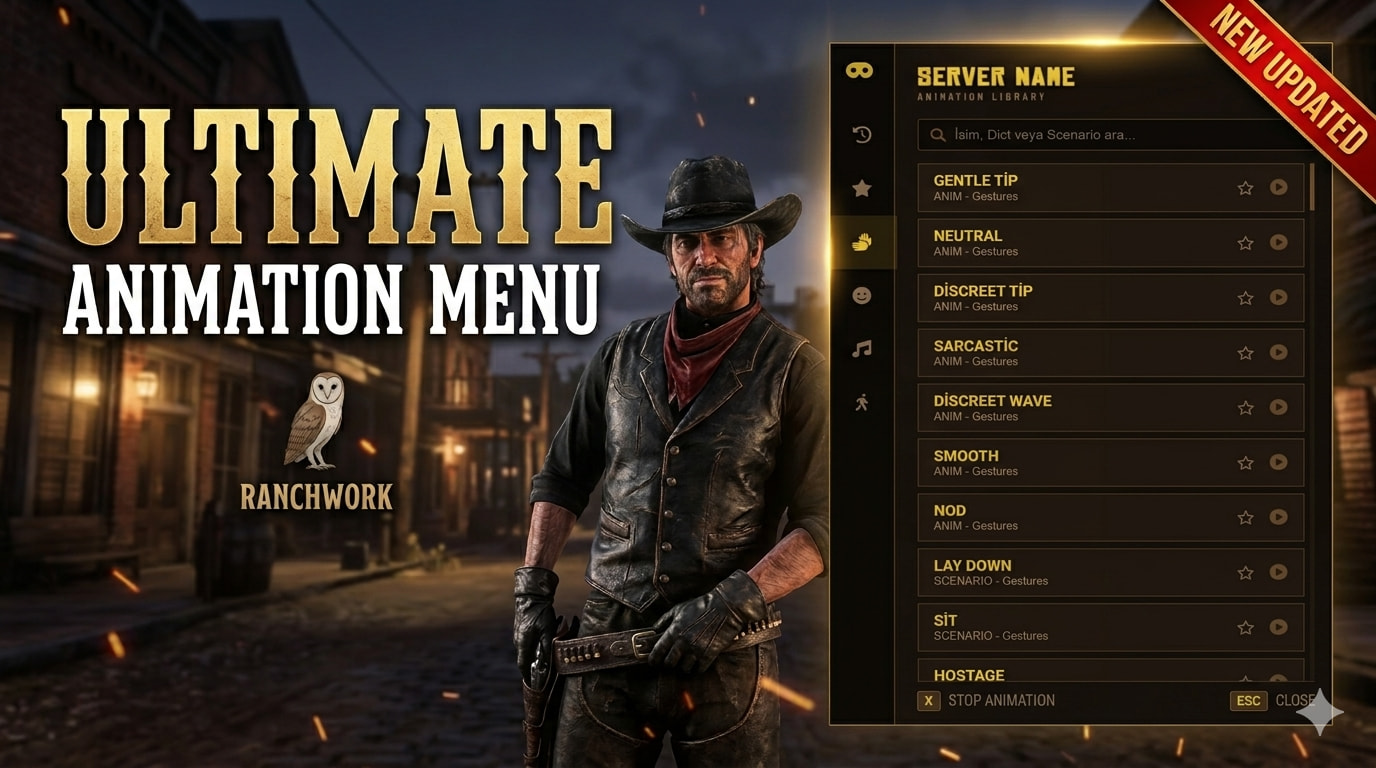
Hello, everyone!
RanchWork is proud to present the most advanced, user-friendly, and performance-oriented animation menu in the RedM universe. Leave behind those outdated, text-based menus and offer your players a truly premium experience!
🎨 Premium UI: A completely custom-designed interface with a sleek Wild West theme and high-definition icons.
⭐ Favorites System: Players can "star" their favorite animations to create a personalized quick-access list.
🕒 Recent Animations: Automatically tracks and saves the last 15 animations used for lightning-fast access.
🚶 Walking Styles: An integrated style system that allows players to change their character's posture and gait on the fly.
🔍 Advanced Search: Don’t get lost in categories; find exactly what you need instantly by searching for labels, dicts, or scenario names.
⌨️ Optimized Controls: Default X key functionality for both raising hands and canceling animations (One-key comfort).
🚀 High Performance: Runs at 0.00ms resmon—zero impact on server performance.
📱 Fully Responsive: Flawless appearance across all resolutions (1080p, 2K, 4K).
 Screenshots & Demo Video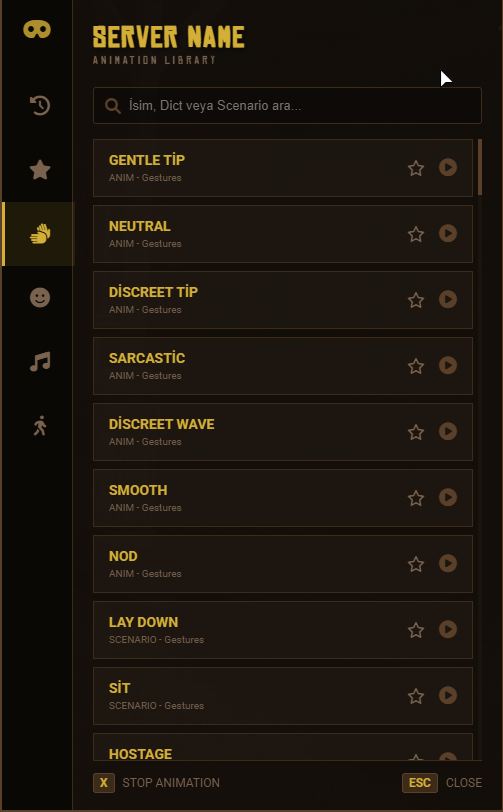
Framework: VORP Core / RSG / QBR (Easily adaptable to any framework).
Code Access: Escrowed (or Open Source option available upon request).
Requirements: vorp_core (or your specific framework base).
To elevate your server’s quality and acquire this script, please use the links below:
🛒 Tebex Store: [Your Tebex Link] 💬 Discord Support: [Your Discord Link]
Drag and drop the brb_animationmenu folder into your resources directory.
Verify the paths in the fxmanifest.lua.
Add ensure brb_animationmenu to your server configuration file.
Enjoy!Dependencies
VORP Core
vorp_inventory
vorp_character
vorpbans (or a similar ban script)
Real feedback from RedM communities using Ranchwork scripts in production.
Clean setup, fast support, and the scripts feel polished enough for a live economy server.
The open source option made it easy for our developers to customize everything to our roleplay style.
Good documentation, quick Discord replies, and the resource worked smoothly after install.


